Step 1 - Enter your data
Click on the blue button to open the online form. Fill in some data about you and your AV sequence and submit.
The form is open from 1 February to 30 March
Step 2: Send your files via file transfer
Click on the blue button to open the swisstransfer web service in a new page.
Please follow the naming guideline below to save time by processing your entry.
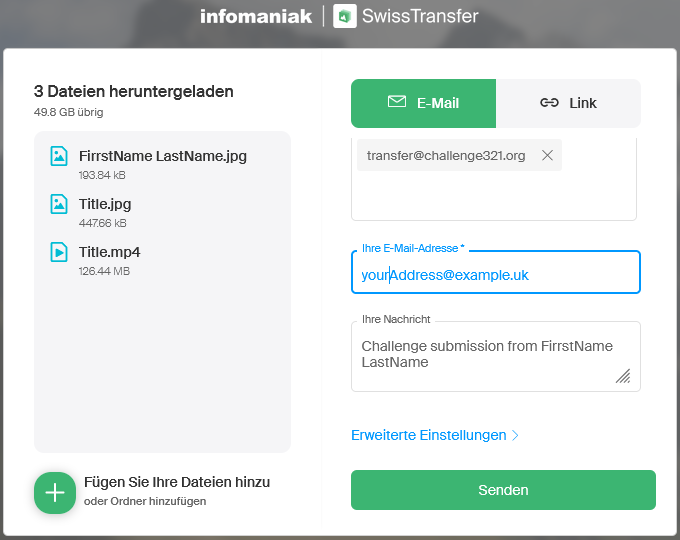
Add all your files by clicking on the '+' symbol (or use drag & drop).
We need the following files from you:
The destination email address is: transfer@challenge321.org
Enter your own email address in the source email field
The message is: Challenge submission from (please add your name)
Click on the Send button to start the transfer.
Step 3: Send the fee of 10 Euro to our account.
Use either:
To avoid fees please ensure to send the money to "friends and family" (not for goods or services).
In case you need the street address of the receiver, please ask by email.
Done
All entrants will receive an ID sheet with the details of their entry and the entry will appear on the Challenge website.
Any questions? write to info321@challenge321.org